Featured Stage
Perfect Piano



What Is Perfect Piano?
Perfect Piano is widely known as an “intelligent piano simulator” built for learning and entertainment. Official feature descriptions highlight a full 88-key layout, multiple keyboard modes (such as chord and dual-player options), multi-touch support, adjustable keyboard width, and several built-in piano tones and sound styles.
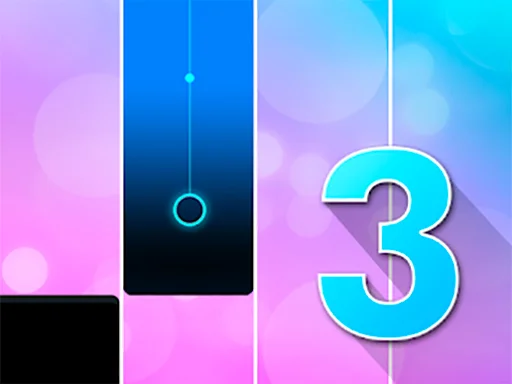
What makes Perfect Piano feel different from a simple toy keyboard is its practice structure. Many versions offer guided song play with visual note patterns (including falling-note and waterfall-style guides), plus options to slow down, loop hard parts, or increase difficulty as you improve. Some editions also include a metronome and recording tools, so you can keep a steady beat and save performances for later review.
Why People Keep Coming Back
Perfect Piano is built on fast feedback. You press a note and instantly hear whether you hit the right pitch at the right moment. That feedback loop is satisfying, and it rewards small improvements. One day you miss half the notes; a few sessions later you can play the same passage cleanly.
Play Perfect Piano in Your Browser
You can play Perfect Piano directly in your browser on https://magictiles.org/. This is the quickest way to jump in, because you don’t have to install an app, sign up, or wait for updates. Browser play also works well for short sessions: five minutes is enough to practice a small section and feel progress.
How to Start on magictiles.org
- Go to magictiles.org and open the Perfect Piano page
- Press play and allow audio if your browser asks
- Use headphones for clearer timing
- Start with an easy song or free-play mode, then move up
Why Browser Play Is Great
Playing Perfect Piano in a browser is convenient when you are on a shared computer, using limited storage, or just want instant access. It is also device-friendly: you can use a mouse, a laptop keyboard, or touch controls depending on what you have.
How to Control Perfect Piano
Perfect Piano is simple to control, but mastering it comes from learning the timing and staying relaxed. Think of it like typing: accuracy first, then speed.
Mouse and Touch Controls
On phones and tablets, tapping the keys is the most natural method. On desktop, clicking keys helps you learn positions and note spacing. If you are following guided notes, focus on the moment a note reaches the target area, and tap right then. Consistent timing matters more than force—there is no need to press hard.
Keyboard Controls
Some browser versions of Perfect Piano allow computer-keyboard input (keys mapped to notes). If your version supports it, keyboard play can feel faster than clicking because you can use multiple fingers across the home row. Start with a small range of notes, get comfortable, then expand your reach to higher and lower keys.
Control Tips That Actually Help
- Lower the speed until you can play with high accuracy, then raise it gradually.
- Practice right hand (melody) first, then add left-hand notes later.
- If a metronome option is available, use it to train steady rhythm.
- Avoid Bluetooth audio when possible; wired headphones often reduce delay in rhythm games.
Game Origin and Background
Perfect Piano first became popular as a mobile piano simulator published by Revontulet Soft. The developer describes Perfect Piano as an intelligent piano simulator for phones and tablets, designed to teach piano and entertain at the same time.
App tracking sources list an early release date in January 2014, and the app has continued to receive updates for years. Some Android-focused statistics sources also report that Perfect Piano has reached 100,000,000+ downloads on Android, showing how large its audience has become.
That long history matters because it explains why Perfect Piano has so many modes and learning tools: it has evolved with a big community of casual players and serious learners.
Common Questions About Perfect Piano
Is Perfect Piano free?
On magictiles.org, you can play Perfect Piano in your browser without installing anything, which is the simplest free way to try it. Mobile editions may include optional purchases, but you can start playing online right away.
Do I need piano experience?
No. Perfect Piano is beginner-friendly. Start with slow speed, short songs, and repeat the same passage until it feels easy. The goal is steady improvement, not perfection on the first run.
Why is there no sound?
First check your device volume and whether the browser tab is muted. Also, many browsers block audio until you interact with the page, so click once inside Perfect Piano and try again. If it’s still silent, refresh the page and allow audio permissions.
Why does Perfect Piano feel “laggy” or delayed?
Tiny delays can ruin rhythm games. Common causes include Bluetooth headphones, heavy background apps, and too many open tabs. Close extra tabs, lower background load, and try wired audio. Perfect Piano usually feels much more responsive after those changes.
Can I record what I play?
Many official feature lists mention recording options (often described as MIDI/AAC recording). If your Perfect Piano version includes recording, use it to track progress and replay tricky parts.
Does Perfect Piano include different sounds or instruments?
Yes. Official descriptions mention multiple built-in sound effects, including different piano tones and other instrument-like timbres. Changing the sound can make practice feel fresh, especially when you repeat the same song.
What’s the fastest way to improve?
Use a simple routine in Perfect Piano:
- pick a short section, 2) slow it down, 3) repeat until accurate, 4) speed up step by step. This approach builds muscle memory without stress.
Play Perfect Piano on magictiles.org
Perfect Piano is a smooth mix of fun and practice: simple enough to start in minutes, but deep enough to keep improving for a long time. If you want instant access, launch Perfect Piano now on https://magictiles.org/ and play directly in your browser.



Comments
Loading comments…