Featured Stage
Piano Tiles 3



Meet the Piano Tiles 3 Challenge
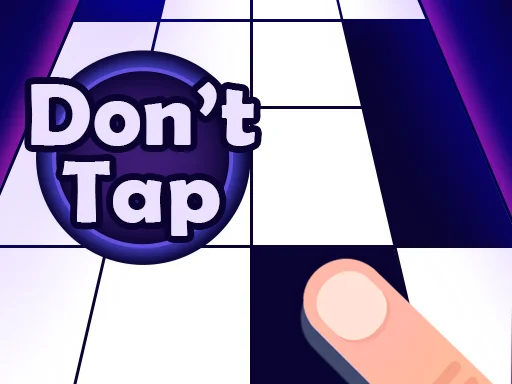
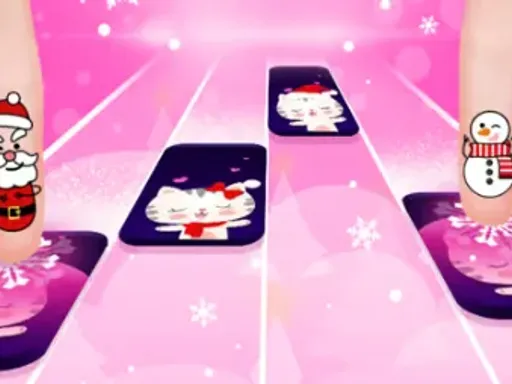
Piano Tiles 3 is a browser rhythm game where you tap black piano tiles in time with the music, avoid white spaces, and chase longer streaks through fast songs. The screen is simple, but the pressure builds quickly. A row of lanes scrolls toward you, each black tile becomes a note, and every accurate tap turns reaction time into music.
The game works because the rule is obvious before the first round is over. You do not need music theory, a keyboard, or a long tutorial. You need attention, rhythm, and the discipline to wait for the right tile instead of tapping in panic. Piano Tiles 3 keeps that classic tile-tapping formula and makes it easy to play instantly in a modern HTML5 browser.
The Core Loop
Each run asks you to read the lanes, tap or click the next black tile, and chain successful hits for as long as possible. When you are accurate, the melody continues and your score grows. When you miss a black tile, hit the wrong place, or lose the beat, the round usually ends. That immediate feedback makes the game ideal for short sessions because every mistake is easy to understand and every restart feels fair.
Playing Online on This Site
On this site, open the Piano Tiles 3 game page and wait for the embedded game to load. Press the play button inside the game frame, choose the available mode or song if the menu offers one, then focus on the four lanes. The black tiles move toward the bottom of the play area. Your job is to hit each one before it passes the active zone.
Most browser versions support mouse and touch controls. On a desktop or laptop, click the black tiles with the mouse or trackpad. On a phone or tablet, tap directly on the screen. Some builds of piano tile games also support keyboard lanes, but the safest assumption is that clicking or tapping will always work. If a key layout is shown inside the game, use those keys only after confirming the mapping.
Reading the Screen
Beginners often stare at the tile they are about to hit. That works at slow speed, then fails as soon as the song accelerates. Try looking slightly above the active tap area instead. Your eyes should notice the next two or three tiles before your fingers need them. This small adjustment gives your hands more time to react and helps you avoid late clicks.
Input, Rhythm, and Timing
The controls are intentionally minimal. Click or tap black tiles. Avoid white areas. Keep your input light. Heavy clicks, hard taps, and tense hands make you slower, especially during quick alternating notes. A relaxed finger can move faster than a stiff one.
On touchscreens, use two thumbs or two index fingers if the lane spacing feels comfortable. On desktop, many players do better with a mouse for casual runs and a trackpad for shorter sessions, but the best option is whichever gives you the fewest missed inputs. If keyboard controls are available, use one finger per lane or split the lanes across both hands so you are not forcing one hand to cross the whole pattern.
Common Mistakes
The most common mistake is rushing. Piano Tiles 3 looks like a speed test, but accuracy creates speed. If you tap ahead of the beat, the game punishes you just as quickly as it punishes a late tap. Another common mistake is chasing a mistake with more speed. Once your rhythm breaks, slow your breathing, reset your focus, and try to make the next input clean instead of trying to recover everything in one frantic burst.
The Pull of One More Run
Piano Tiles 3 sits between music game and reflex challenge. The music gives each run a sense of flow, while the one-mistake danger keeps the tension high. A good streak feels smooth because your hands start moving before you consciously think about every tile. A failed streak feels close enough to fix, which is why the restart button is so tempting.
Online listings describe Piano Tiles 3 as an HTML5 music, timing, and skill game playable on desktop, mobile, and tablet browsers. That format matters because the game does not need a large download or complicated setup. It is built for quick access: load the page, start a song, miss a tile, and try again with a slightly sharper plan.
Background and Series Context
The broader piano tile style became widely recognizable through Piano Tiles, also known as Don't Tap the White Tile, a mobile game launched in 2014. Its design was stripped down to a memorable rule: black is safe, white is danger. That idea spread because it was easy to copy, easy to understand, and surprisingly hard to master once the scrolling speed increased.
Piano Tiles 3 belongs to that familiar browser-friendly branch of rhythm games. It does not need to behave exactly like every earlier mobile release to feel connected to the same tradition. The important inheritance is the clean loop: tiles fall, the player follows the beat, and one wrong input can end the performance.
Score-Building Advice
Start by valuing clean runs over fast runs. A short perfect streak teaches more than a longer messy streak because your brain learns the spacing between notes. Once you can survive early sections consistently, raise your ambition and push for longer chains.
Use peripheral vision. The active tile is not the only tile that matters. If you recognize the next pattern early, you will stop reacting tile by tile and start playing in phrases. That is when Piano Tiles 3 begins to feel musical rather than mechanical.
Take breaks when your hands tense up. Rhythm games punish fatigue because small timing errors become constant. If you miss three easy tiles in a row, step away for a minute. Returning relaxed is usually better than grinding another rushed attempt.
A Simple Practice Routine
Play three warm-up rounds without caring about score. In those rounds, focus only on accuracy and reading ahead. Then play five score attempts and note your best result. End with one slower, cleaner attempt if the game mode allows it. This keeps practice focused while still leaving room for the fun of chasing a new record.
FAQ
Is Piano Tiles 3 free to play?
Yes, this browser version can be played online without buying or installing the game. Load the page, start the embedded game, and begin tapping the black tiles.
Which objective drives each run?
The goal is to tap the black piano tiles in time with the music while avoiding white spaces and missed notes. Better timing helps you build longer streaks and higher scores.
Will Piano Tiles 3 work on mobile?
Yes. HTML5 piano tile games are commonly playable on phones and tablets. Touchscreen play is often the most natural option because you can tap the lanes directly.
Which desktop controls are best?
Use the mouse or trackpad unless the game frame displays keyboard controls. If keyboard lanes are available, practice slowly first so each finger learns its lane.
Fast sections keep ending my run. What helps?
You are probably watching too low on the screen or tapping too aggressively. Look ahead, keep your hands loose, and aim for smooth timing instead of raw speed.
Can Piano Tiles 3 replace piano lessons?
It can help with rhythm awareness and reaction timing, but it is not a substitute for piano lessons. Treat it as a music-themed arcade challenge.
Score improvement: where should I start?
Practice short sessions, focus on accuracy first, use more than one finger when patterns speed up, and stop when fatigue causes repeated easy mistakes.


Comments
Loading comments…