Featured Stage
Catch Tiles




1) What the Game Is Catch Tiles
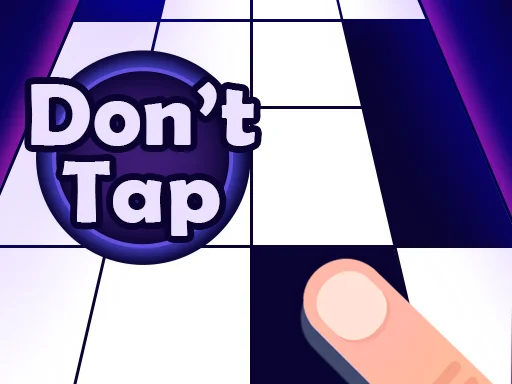
In Catch Tiles, a song plays while tiles slide toward a target area. You “catch” each note by tapping (or pressing) at the right moment. Miss a tile, or tap the wrong area, and the run may end or your score drops sharply. This simple rule set is why Catch Tiles feels easy to learn but hard to master.
Many versions of Catch Tiles include a wide music list across genres such as EDM, classics, anime tracks, and K-pop, so you can pick a mood and switch it anytime.
Why It Feels Addictive
Catch Tiles works because it gives instant feedback. Every correct tap keeps the music flowing, builds your combo, and makes you want “one more try.” It also fits short sessions—one song is enough to feel progress, and a few songs can turn into a serious high-score chase.
Who Catch Tiles Is For
Catch Tiles is great for music fans, reflex gamers, and beginners who want a simple game that still has real skill depth. Start with slower tracks, then climb toward faster songs as your accuracy improves.
2) Play in Your Browser
Catch Tiles is available in an HTML5 browser version that runs on desktop and mobile browsers. If you prefer not to install apps, open the game on magictiles.org, choose a track, and start tapping.
Browser Tips for Better Timing
To make play feel smoother:
- Close heavy tabs (especially video).
- Try full-screen so tiles look larger and clearer.
- On mobile, consider landscape mode for more viewing space.
Browser play usually needs an internet connection to load the game and music.
3) How to Control the Game
Controls are straightforward: hit the playable tiles in rhythm and avoid mistakes. On phones and tablets, you usually tap the tiles directly. On computers, you can click with the mouse, and some web builds also support keyboard input.
Core Rules
Most modes follow this loop:
- Pick a song and start the run.
- Tap each tile when it reaches the target.
- Keep your streak alive to raise your score.
- Don’t tap outside the playable tiles.
A common fail condition is missing a black tile or tapping the wrong area (often described as tapping a white tile).
Keyboard, Mouse, Touch
If you play on different devices, the feel changes:
- Touch: two thumbs can help on faster songs; keep them relaxed.
- Mouse: click each tile as it arrives; aim for accuracy first.
- Keyboard (web): some versions map lanes to keys (for example, ASKL), and Space can start a run.
Scoring, Combos, and Accuracy
Long streaks push your score higher, but accuracy matters too. If you always hit late or early, you may finish a song but score lower than a cleaner run. A smart routine is to replay one medium song until your taps feel automatic, then move up in Catch Tiles.
A Simple Practice Plan
If you want to improve faster, use a three-step routine: (1) play one slow track to warm up, (2) play a medium track twice and aim for fewer mistakes each run, then (3) end with one hard attempt just for fun. This keeps your hands learning without burning out. Over time, Catch Tiles starts to feel less like “reaction” and more like “pattern recognition,” which is when scores jump.
Common Mistakes to Avoid
Most fails happen because you watch only the hit line, tense up, or jump to a hard song too soon. Slow down, breathe, and let the rhythm guide your hands.
4) Game Origin and Source
Catch Tiles belongs to the popular “piano tiles” rhythm style: music plays, notes fall, and you tap in time. The mobile app version is published by WingsMob, and an Android release date is listed as January 2021.
A browser edition of Catch Tiles was later released using HTML5, with a web release listed as March 2024.
Features Often Mentioned
Depending on the platform and mode, official store descriptions commonly mention:
- many genres and frequent song updates
- optional song uploads (on supported devices)
- online battles or competitive play with rewards
- cosmetic tile styles and daily rewards
5) Common Questions
Is Catch Tiles free?
Catch Tiles is commonly listed as free to play, with optional purchases or subscriptions in some versions for extra songs or benefits.
Can I play Catch Tiles on mobile and desktop?
Yes. Catch Tiles is available on Android and iOS, and there is also a web version that runs in browsers on desktop and mobile devices.
Why do I keep failing?
Most fails come from reacting too late, rushing early, or mis-tapping outside the playable tiles. Start with slower songs in Catch Tiles, focus on clean hits, and speed up only when your accuracy is steady.
How do I score higher?
Higher scores usually come from long streaks and strong accuracy. Choose a difficulty you can finish often, then push your personal best one song at a time.
Can I upload my own songs?
Some mobile versions of Catch Tiles describe an option to upload custom songs from your device.
Does it have online battles?
Some versions of Catch Tiles mention online battles against other players and rewards tied to that mode.
What should I do if it feels laggy?
Close other apps and tabs, restart the browser, and try a slower song while you test timing. If taps still feel delayed, switching devices or browsers can help.
Play Catch Tiles on magictiles.org
Ready to play? Launch Catch Tiles on magictiles.org, pick a track you enjoy, and aim for one clean streak. Then run it back—this game almost always feels beatable on the next try.



Comments
Loading comments…