Featured Stage
Piano Tiles



What Is Piano Tiles?
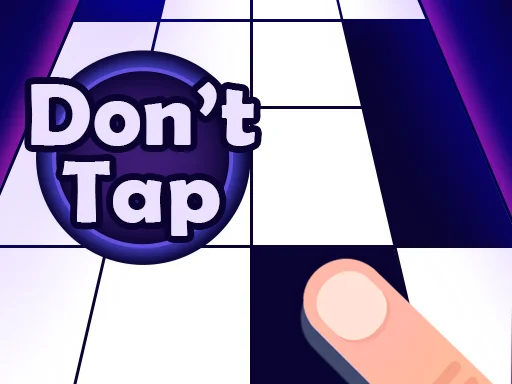
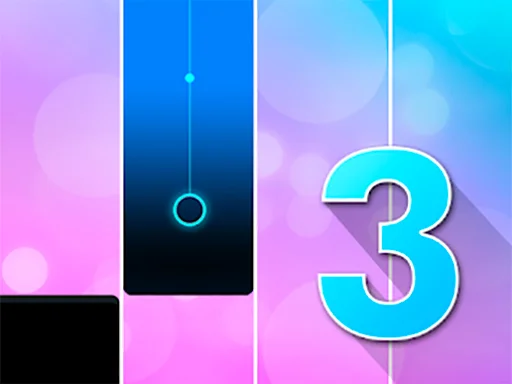
Piano Tiles is a rhythm game built on a single rule: tap the black tiles and avoid the white ones. In Piano Tiles, each correct tap triggers a piano note, so your timing becomes the music. You do not need to read sheet music or know chords. The skill is focus, quick reactions, and steady rhythm.
This simple idea makes the game easy to learn and hard to put down. As the tiles move faster, you must stay calm and keep accuracy. One mistake ends the run, which is why players come back for one more try.
Why People Love Piano Tiles
The appeal of Piano Tiles is clear feedback and clear goals. Hit the right tile and you hear a clean note. Tap the wrong one and the round ends. Your score or time is easy to measure, so improvement feels real. Over time, your eyes start to read patterns faster and your hands respond with less effort.
Play Piano Tiles in Your Browser
You can play Piano Tiles in a browser without installing anything. That means you can jump in from a laptop, tablet, or phone in seconds. If you want a smooth place to start, visit https://magictiles.org/ and play Piano Tiles directly on the site.
Browser play is perfect for short sessions. Open a tab, play a round, and close it when you are done. It is built for fast restarts, so it fits the browser well.
What Makes Browser Play Convenient
A browser version lets you switch devices easily. On mobile you can tap with your fingers. On desktop you can click or use keys if supported. When you play Piano Tiles this way, the rules stay the same, but the feel can change.
How to Control Piano Tiles
Controls are simple, but small habits make a big difference when speed rises.
Touchscreen Controls
On a phone or tablet, tap the black tiles with one or two fingers. Try to tap lightly and quickly. Heavy taps can slow you down and cause late inputs.
Mouse Controls
On a computer, click the black tiles with a mouse or trackpad. Keep your hand relaxed and your clicks short. When the tiles speed up, steady clicking is more reliable than frantic clicking.
Keyboard Controls
Some online versions support keyboard input, where each lane matches a key. This can help players who prefer consistent timing and two hand play. If your browser version supports it, start slow and build muscle memory before chasing high speed scores.
Four Practical Tips
- Look slightly ahead, not only at the tile you are touching.
- Use two fingers or two hands when the pace increases.
- Keep a steady rhythm instead of rushing.
- Take short breaks, because fatigue causes mistakes.
The Origin of Piano Tiles
Piano Tiles began as a mobile game released in 2014 and was also known as Don’t Tap the White Tile on some platforms. It launched on March 28, 2014 by Umoni Studio, created by Hu Wen Zeng. It became a major hit soon after release and reached the top download lists in late April 2014. A sequel, Piano Tiles 2, followed in 2015, showing how the idea spread.
The early success came from clean design and an instant learning curve. The rules fit on one line, yet the difficulty scales as speed rises. That balance helped the concept move into browser play.
Why the Concept Works So Well
Great rhythm games make you feel the beat through simple signals. Here, black tiles represent the beat and your taps become the timing. When you are focused, it can feel like a flow state: eyes track the pattern, hands answer in sync, and time disappears.
Modes You Might See While Playing
Different versions may label modes differently, but many share familiar goals.
Classic
Classic mode is usually a race to finish a fixed number of tiles as fast as possible. It is a clean test of speed plus accuracy.
Arcade
Arcade mode is often endless. The tiles keep coming, and the pace may increase over time. Your goal is to survive longer and score higher.
Zen and Time Modes
Some modes give you a time limit and ask for as many correct taps as possible. These rounds reward quick decisions.
If you want to explore these styles without downloads, you can play Piano Tiles on https://magictiles.org/ and practice right away.
Frequently Asked Questions
Is Piano Tiles Free to Play?
Many versions are free to start. On https://magictiles.org/ you can play Piano Tiles in your browser and begin instantly.
Can I Play Piano Tiles on Both Mobile and Desktop?
Yes. On mobile you tap. On desktop you click, and sometimes you can use keyboard keys. The skill is the same: stay on beat and avoid the white tiles.
Why Do I Keep Losing?
Most mistakes happen for two reasons. First, players look too close to their finger and do not see the next tiles in time. Second, players rush and lose rhythm. Try watching the next few tiles and aiming for smooth timing. In Piano Tiles, accuracy creates speed, not the other way around.
Does Piano Tiles Teach Real Piano Skills?
It helps with rhythm and reaction time, but it is not a full piano lesson. Think of it as a timing game that uses piano sounds for feedback.
How Can I Improve Faster?
Practice in short sessions. Pick one mode, track your best result, and try to beat it by a small margin. Over time your pattern recognition improves, and you will make fewer panic taps.
What Should I Do When the Speed Gets Too High?
Use two hands if possible and keep breathing steady. If you tense up, your taps get sloppy. Staying relaxed is a real skill in Piano Tiles, especially in endless modes.
Why Play Piano Tiles on magictiles.org
The best part of Piano Tiles is how quickly you can start. On https://magictiles.org/ you can play Piano Tiles online, practice your timing, and chase a higher score whenever you have a few minutes. No long setup, no complicated rules, just a clean rhythm challenge that rewards focus.
If you have never tried Piano Tiles, start with a slower mode and aim for perfect accuracy. If you are experienced, push for a new personal best. Either way, Piano Tiles turns simple taps into a fun test of control, and your next great run could be the very next one.


Comments
Loading comments…