Featured Stage
Magic Piano Music


What Is Magic Piano Music?
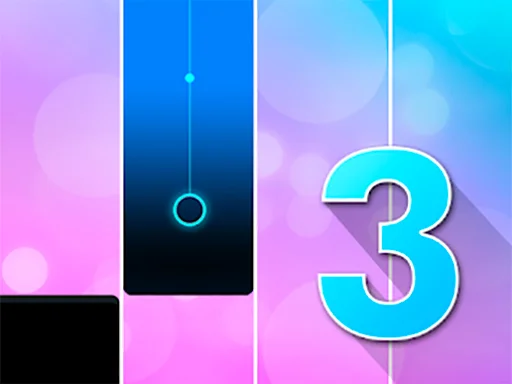
Magic Piano Music is a fast browser rhythm game built around the simple pleasure of catching notes as they fall. A song begins, four lanes light up, and square piano tiles move toward the bottom of the screen. Your goal is to press the matching lane at the right moment so the melody continues cleanly. Each correct hit keeps the performance alive. A missed note breaks the flow, and too many mistakes can end the run before the song reaches its best part.
The appeal is easy to understand from the first few seconds. Magic Piano Music does not ask you to read sheet music, memorize chords, or learn complicated menus. It turns rhythm into a clear visual challenge: watch the lanes, listen for the beat, and tap in time. The game feels calm at the start, then quickly becomes a test of focus as the notes arrive faster.
Because the game runs directly in the browser, it works well for short sessions. You can play a song between tasks, retry immediately after a mistake, and chase a cleaner score without installing a separate app. It fits the style of modern piano tile games, where quick input, recognizable melodies, and instant restarts matter more than long tutorials.
The Core Rhythm Loop
Every round follows a direct loop: start the track, read the incoming notes, press the matching keys, and keep the streak going. The falling tiles act like a simplified music chart. Instead of showing traditional notes on a staff, Magic Piano Music maps the song to four clear lanes. When a tile reaches the hit area, you press the lane that matches its position.
The challenge grows from timing and spacing. Some notes appear one at a time, giving you a steady pulse to follow. Others arrive in short bursts that require quick alternation between lanes. Strong players do not react to each tile in isolation. They feel the rhythm, anticipate the next movement, and keep their hands ready before the tile reaches the bottom.
How to Play on Magictiles.org
To play Magic Piano Music on this site, open the game page and wait for the embedded player to load. Press the play button, choose the available start option inside the game, and focus on the four lanes. The screen layout is intentionally simple so you can keep your attention on the falling notes rather than the surrounding page.
On desktop, the most practical way to play is with the keyboard. The game uses four lane keys: A, S, J, and K. These keys split naturally across both hands. Your left hand can cover A and S, while your right hand can cover J and K. You can also use the mouse, but keyboard play is usually more reliable once the song becomes faster.
On mobile or tablet, the game uses touch controls. Place your thumbs or fingers near the lane buttons and tap as each tile reaches the hit area. The game remains playable on a phone if you hold the device steadily and avoid covering the next notes with your hands.
Controls and Timing Tips
The controls are straightforward, but strong timing takes practice. On a keyboard, keep your fingers resting lightly on A, S, J, and K instead of hovering far above them. Small movements are faster and more accurate than big taps. Try not to slam the keys, because heavy pressing slows your recovery before the next note.
Sound matters. If you only stare at the tiles, you may react late during dense patterns. Listen to the beat and use the music as a guide. Many note groups follow the rhythm of the song, so your ears can help your eyes prepare. If audio delay makes the game feel slightly off, rely more on the visual hit line and keep a consistent internal count.
Common Mistakes That Break a Run
The most common mistake is watching the hit line too narrowly. If your eyes stay fixed only at the bottom, the next note can surprise you. Look slightly above the hit area so you can see what is coming while still judging the final timing. This gives your hands a fraction of a second more to prepare.
Another mistake is overcorrecting after a miss. When one note goes wrong, players often panic and press the next lane too early. Treat each mistake as a reset point. Return to the beat, find the next clear note, and rebuild your rhythm. A calm recovery often saves the run better than frantic tapping.
Keyboard players should also avoid using one hand for every lane. It may work during the opening seconds, but it becomes inefficient when patterns jump between left and right lanes. Splitting the keys between both hands reduces unnecessary movement.
Why Magic Piano Music Fits Quick Rhythm Sessions
Magic Piano Music belongs to the same broad family as piano tile and arcade music games. These games became popular because they make songs interactive without requiring formal music training. The player does not need to understand scales or theory. The game translates music into timing, pattern reading, and reflexes.
That structure works especially well in a browser. A full rhythm game can be deep and demanding, but a web piano game needs to be quick to load and easy to restart. Magic Piano Music keeps the format focused. The four-lane setup is easy to learn, the input keys are memorable, and the immediate retry loop encourages one more attempt after every mistake.
Practical Ways to Improve
Begin with control consistency. Use the same fingers for the same lanes every time. On keyboard, try left ring or middle finger for A, left index for S, right index for J, and right middle or ring finger for K. The exact choice matters less than keeping it consistent, because muscle memory builds from repetition.
Next, practice short sections rather than judging every run by the final score. If one pattern keeps ending your song, focus on reading that shape earlier. Is it a left-right alternation, a quick double, or a sudden jump from A to K? Naming the pattern makes it easier to solve. Finally, keep the game area free of distractions, because rhythm games punish divided attention.
FAQ
Is Magic Piano Music free to play?
Yes. Magic Piano Music can be played free in your browser on this site. Load the game page, start the embedded player, and begin a song without downloading a separate app.
What are the keyboard controls?
The desktop controls use A, S, J, and K for the four lanes. Keep two fingers on the left lanes and two fingers on the right lanes so you can react quickly when notes jump across the screen.
Can I play Magic Piano Music on a phone?
Yes. The game supports touch input on mobile and tablet browsers. Tap the lane buttons as the notes reach the hit area, and keep your fingers low enough that you can still see the next tiles coming.
Do I need real piano experience?
No. The game is about rhythm, focus, and timing rather than traditional piano technique. Real piano experience may help your sense of beat, but new players can learn the game through repetition.
Why do I keep missing easy notes?
You may be looking too low on the screen or pressing too heavily. Watch slightly above the hit line, keep your taps light, and let the music guide the timing instead of reacting only at the last moment.
Is keyboard or mouse better?
Keyboard is usually better for fast songs because each lane has a dedicated key. Mouse play can work for slower sections, but moving the pointer between lanes becomes harder when the patterns speed up.


Comments
Loading comments…