Featured Stage
Dont Tap

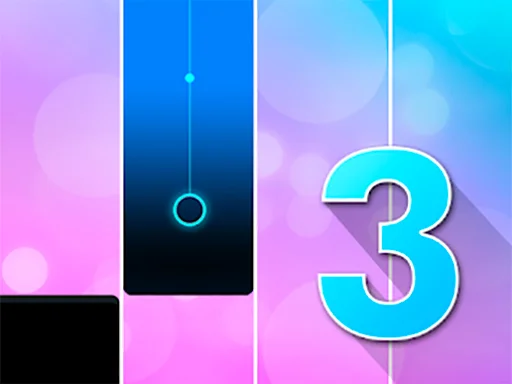


Dont Tap is a rhythm game where you hit black tiles and avoid white ones. The pace rises fast, rewarding calm timing and early pattern reading over panic taps. If you already enjoy Piano Tiles style games, the appeal is immediate. If you are new to the format, Dont Tap is one of the easiest ways to understand why this genre has stayed popular for so long.
This browser version also works well for quick sessions. You can load it, pick a mode, and start within moments on magictiles.org. There is no long tutorial to memorize. The rules are visual, the feedback is instant, and every restart feels meaningful because you can usually tell exactly why the last run failed.
How a Round of Dont Tap Works
The basic loop is always the same. Tiles appear in vertical lanes, and your job is to activate only the black tiles before they pass or before you misread the pattern. In many rounds, one wrong input ends the attempt immediately. That makes every tap feel important, even when the first few seconds seem easy.
Current browser listings describe six modes in this web release: Classic, Arcade, Zen, Rush, Relay, and Arcade+. They all use the same black-versus-white idea, but they change the goal. Classic usually asks you to finish a fixed set as fast as possible. Arcade rewards survival as the pace rises. Zen compresses the challenge into a short timed burst. Rush, Relay, and Arcade+ raise the pressure for players who want less room for error.
Why the structure feels so addictive
Dont Tap is a browser rhythm reflex game where every black tile keeps the run alive and every white tile ends it at once. That clarity is why players keep restarting. You are never guessing what the game wanted. You simply want to prove you can stay calm one round longer.
Playing in Your Browser on magictiles.org
On this site, Dont Tap is built for instant browser play. Open the game page, wait for the embedded HTML5 version to load, choose a mode, and start tapping. The quick start matters because this kind of rhythm game works best when retries are effortless. You miss a tile, reset, and immediately test a better habit on the next run.
Browser play is also flexible across devices. On desktop, you can use a mouse or trackpad. On phones and tablets, you can tap directly on the screen. Public game listings for this title specifically describe mouse and touchscreen support, which matches the straightforward control model the game uses.
Small setup choices that help
If timing feels rough, a few practical tweaks can help. Close heavy tabs first so the page has fewer background tasks competing for attention. If you are on mobile, rotate the device to the orientation that lets you see more of the incoming tile lanes comfortably. If you are on desktop, try full screen so you can read spacing more clearly and keep your eyes slightly ahead of the tile you are about to hit.
Controls, Timing, and Common Mistakes
Dont Tap does not ask for complicated inputs, but it does punish sloppy ones. On mobile, tap each black tile with one finger or alternate between two thumbs when the speed rises. On desktop, click directly on the black tiles. The hard part is not learning which button to press. The hard part is staying controlled when the tempo starts speeding up.
Tips that improve runs quickly
- Look one or two tiles ahead instead of staring only at your current tap.
- Keep your taps light. Heavy presses slow recovery and make panic inputs more likely.
- Use rhythm as your guide. When players rush visually instead of following the pattern, mistakes climb fast.
- Warm up in an easier mode before chasing your best result in a harder one.
A very common mistake is overcorrecting after one near miss. Players tense up, start slapping at tiles, and lose the clean cadence that got them through the early section. Another mistake is treating every mode the same way. The best approach is to let the mode shape your rhythm instead of forcing one style onto every run.
Where Dont Tap Comes From
Dont Tap belongs to the same design family as Don't Tap the White Tile, the mobile hit that many players also know as Piano Tiles. That original release is widely dated to March 28, 2014 and is associated with Umoni Studio and creator Hu Wen Zeng. Its key idea was brilliantly minimal: black means action, white means failure. Each correct tap produces forward momentum, and one wrong touch breaks the run.
The browser version you can play today keeps that recognizable formula while adapting it to quick HTML5 sessions. Modern portal listings show the game continuing to circulate online years after the original mobile breakout, which helps explain why the format still feels familiar even if you have not touched the genre recently.
Getting Better Without Overthinking It
If you want to improve, keep your practice simple. Spend one or two runs learning the lane spacing, then settle into a mode where you can stay accurate for more than a few seconds. Once your hands stop feeling rushed, increase the pressure. Consistency usually grows from control, not from chasing maximum speed immediately.
It also helps to separate recognition from reaction. Strong players are not only faster. They notice patterns earlier. When your eyes start reading the next tile group before your finger finishes the current one, the game suddenly feels less chaotic.
FAQ
Is Dont Tap the same as Piano Tiles?
It is not exactly the same product, but it clearly belongs to the same black-tile rhythm tradition made famous by Don't Tap the White Tile and Piano Tiles. The core rule and feel are very similar.
Can I play Dont Tap on mobile and desktop?
Yes. This browser version is designed for both. Public listings describe touchscreen support for phones and tablets plus mouse control on desktop browsers.
Which mode should beginners start with?
Classic is usually the easiest place to learn because the goal is direct and the pace feels readable. After that, Zen is a good way to practice staying relaxed under a time limit.
Why do I keep tapping the wrong tile?
The most common reason is that your eyes are locked too close to the tile you are already touching. Try reading slightly higher on the board so the next pattern is visible earlier.
Does Dont Tap need fast reflexes only?
No. Reflexes matter, but rhythm and anticipation matter just as much. Players improve fastest when they learn the visual flow instead of treating every tap like a surprise.
What should I do if the game feels laggy?
Refresh the page, close other heavy tabs or background apps, and try another modern browser if needed. Performance issues usually come from local device load rather than from the basic control rules.
Why is Dont Tap still fun after so many similar games?
Because the rule set is clean and the feedback is immediate. Every round gives you a clear success or failure signal, so improvement feels honest and satisfying.



Comments
Loading comments…